Does Linux Now Require More RAM Than Windows in 2026?
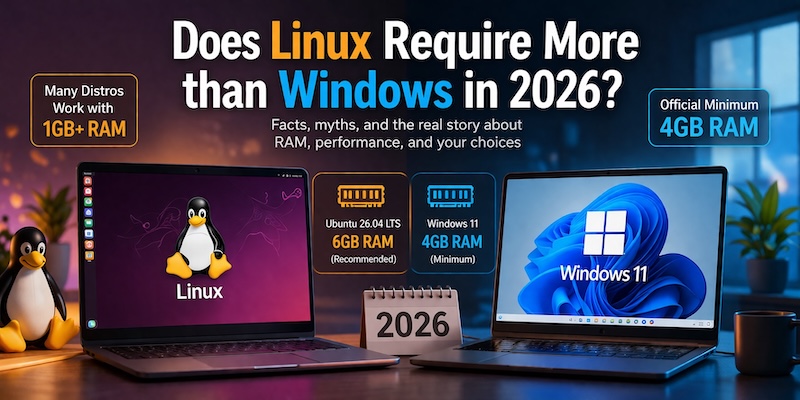
A lot of people saw the headline and lost their minds a little. Ubuntu 26.04 LTS now asks for 6 GB of RAM. Windows 11 still sits at 4 GB. That sounds like Linux just got heavier than Windows — which, for anyone who ever argued that Linux was lean and Windows was bloated, stings.
But the headline is misleading. Not wrong exactly, just missing a lot of important context. Once you dig into what actually happened and why, the story looks completely different.
What Ubuntu Actually Changed — And Why It Did It
Ubuntu 26.04 LTS, nicknamed “Resolute Raccoon,” launches April 23, 2026. It ships with GNOME 50, Linux kernel 7.0, and five years of official support through April 2031. The system requirements for the desktop edition now read: 2 GHz dual-core processor, 6 GB of RAM, 25 GB of storage.
The last time Ubuntu raised the RAM bar was 2019. Before that, going back to Ubuntu 14.04, 1 GB was considered enough. The jump from 4 GB to 6 GB is the biggest single RAM increase in Ubuntu’s history.
Here is the thing though — Canonical is not saying your 4 GB machine will refuse to boot Ubuntu. The installer will not block you. This is really Ubuntu saying out loud what many people already know. A 4 GB system does not feel comfortable anymore for normal desktop use. Open Firefox with a few tabs. Add LibreOffice. Keep a chat app open. That memory gets used up fast. That is not a Linux problem. That is just what computing looks like in 2026.
The Linux kernel itself has not gained weight. GNOME 50 is the hungry one here. Modern browser engines are memory-intensive. Canonical decided to list requirements that reflect how people actually use computers rather than listing the lowest possible number where the OS technically boots. That is honestly more honest than what Microsoft does.
The Comparison That Started All This Drama
Windows 11 says 4 GB. Ubuntu 26.04 says 6 GB. If you only look at those two numbers, Linux starts to look heavier. The Linux community — which has spent years calling Windows bloated — suddenly looks awkward.
Except the comparison is not fair and anyone who has spent time with both systems knows it.
Microsoft’s 4 GB figure is an installation threshold. It is the absolute floor below which Windows 11 will not install. It is not a “you will have a good experience” number. It is not even a “this will be usable after a few months” number. It is just the point where the installer stops rejecting your hardware.
Ubuntu’s 6 GB figure is described as what you need for a comfortable experience. The two numbers measure completely different things. If Canonical wanted to play the same game Microsoft plays, they could list 1.5 GB as the Ubuntu minimum — because that is what Ubuntu Server needs, and you can technically build a desktop on top of it. They chose not to do that. They chose to be upfront instead.
The Bigger Misconception Nobody Talks About
Ubuntu is not Linux. It sounds simple, but people often talk like Ubuntu is the whole thing. That’s where the confusion starts. Ubuntu is just one version among many. Linux itself is much bigger, with tons of different setups built for different kinds of machines and users.
Linux is a kernel. A distribution is the full package — kernel, desktop environment, bundled apps, default settings, everything. Ubuntu Desktop ships GNOME, which is polished and modern and resource-hungry. That is a choice Ubuntu makes. Other distributions make very different choices.
Even Canonical is pretty upfront about this in the 26.04 release notes. If you’re trying to use a machine with only 2 GB of RAM, they straight-up tell you to skip the main version and grab Lubuntu or Xubuntu instead. These are official variants designed specifically to be lighter, showing that flexibility is baked right into the system from the start.
Windows does not work that way. You cannot swap out the Windows shell for something lighter. You cannot uninstall the Windows compositor and replace it with a minimal window manager. The memory footprint you get is the memory footprint you keep. Linux lets you choose where on the spectrum you land. That choice is the whole point.
Why 4 GB Windows 11 Is a Worse Deal Than It Looks
Fresh install, Windows 11, 4 GB RAM. The system boots. It works. You open Edge and load a couple tabs. Things are acceptable.
Come back in three months.
Windows accumulates. Background services quietly add themselves to startup. Defender scans run on schedule. Windows Update holds files in the background. Telemetry processes run continuously. The number of things competing for your 4 GB grows over time without you doing anything to cause it. A machine that felt borderline usable at install feels sluggish and frustrating by month six.
Linux does not behave this way on lightweight distributions. A well-configured Lubuntu or Linux Lite installation in month six looks almost identical to the same installation in month one. There is no background service sprawl building up quietly. What you get at install is what you keep.
That difference matters enormously for anyone running older hardware long term. The Windows 4 GB number assumes a freshly installed system. Real usage is messier than that. You might know many people who resets/formats their Windows OS every few months.
Linux Distributions Running on 1 GB RAM or Less (Active in 2026)
These are not abandoned projects or outdated experiments. Each one receives active development and updates.
Puppy Linux loads almost entirely into RAM at boot. Once it is running, it operates completely from memory — so the speed of your storage device becomes irrelevant. This makes ancient machines with slow hard drives feel fast in actual use. Puppy handles less than 1 GB fine, and machines with 512 MB can run it. The built-in package manager supports .rpm, .deb, and native PET packages. For hardware that most people would have thrown away years ago, Puppy keeps it genuinely functional.
The base system is 16 MB. Not 16 GB. Not 1.6 GB. Sixteen megabytes. The full desktop edition runs under 200 MB. Tiny Core 16.2, released September 2025, ships with Linux kernel 6.12 and updated library support for modern hardware. The entire OS loads into RAM at boot. This is not a casual beginner’s choice — it targets users who know exactly what they want and prefer to build their system from scratch. But it proves what is possible when you strip computing down to its essentials.
antiX runs on 256 MB of RAM. It does not use systemd, and that helps keep background activity lower. It also comes in four versions: Full, Base, Core, and Net. That means you can start with almost nothing or pick a more ready setup. The Debian Stable base backs it with a large software repository. antiX is one of the few genuinely capable Linux distributions still supporting very old 32-bit hardware in 2026.
Linux Distributions Running on 1–2 GB RAM
Bodhi uses the Moksha desktop environment — a maintained fork of Enlightenment. At idle, RAM usage sits around 250 to 300 MB. The Ubuntu base means you get access to a huge software library. On a 1 GB machine, you have 700+ MB free after the desktop loads. Bodhi stays actively developed and delivers something most lightweight distributions do not: a desktop that actually looks good without costing memory to do it.
If you’re trying to move away from Windows—or you want to hand down an aging laptop to a parent or family member—Linux Lite is honestly one of the best choices you can make. It’s built specifically to feel familiar to Windows users so the learning curve is basically zero. Unlike some lightweight distros that make you build your system from scratch, this one comes fully loaded out of the box with a web browser, office suite, and media players. The best part? The desktop environment (Xfce) is incredibly light, idling at just 300 to 400 MB of RAM. It keeps your old hardware useful while staying secure with regular updates.
Peppermint OS Flagship got an update in October 2025. It runs on Debian 13 and uses Linux kernel 6.12 LTS. Firefox is gone as the default browser. LibreWolf takes that spot now. You also get three install options: Flagship, Fully Loaded, and Mini. That part is nice because not everyone wants the same setup. There are Devuan-based versions too for people who want to skip systemd and use something else. On a system with 2 GB of RAM, Peppermint still handles the usual stuff just fine. Browsing, documents, music, videos. Nothing feels out of place there.
Linux Distributions Running on 2–3 GB RAM
Lubuntu is an official Ubuntu flavor. The LXQt desktop uses significantly less memory than GNOME while still looking like a complete, modern desktop. Lubuntu 24.04 LTS supports machines through April 2027. Lubuntu 25.10, released October 2025, ships Xfce 4.20 with improved Wayland support. On 2 GB, Lubuntu boots in about 20 seconds and handles real workloads — multiple browser tabs, document editing, media playback — without heavy reliance on swap. It is the most practical middle-ground option for machines that cannot run stock Ubuntu anymore.
Xubuntu sits in that middle area where things still look nice but the system does not get too heavy. It uses Xfce 4.20 in the current release. On 2 GB of RAM, it runs well. Open more apps and it can move closer to 3 GB, which is still okay for a lot of older machines. Since it is built on Ubuntu, software support stays broad and easy. That matters because you do not want a light system that turns into a headache every time you need an app. Xubuntu makes sense when Lubuntu feels a bit too stripped down, but regular Ubuntu asks for more than your hardware can give.
BunsenLabs is a quieter name, but it deserves more attention than it gets. It runs on Debian Stable and uses Openbox, which helps keep memory use low. The developers suggest 2 GB or more for comfortable daily use. It comes with Conky already set up, a nice group of themes, and full access to Debian’s software library. It also still offers 32-bit and 64-bit ISO files, and that still matters for some older systems. BunsenLabs feels simple, stable, and light without looking ancient or broken.
Linux Distributions Running on 3–4 GB RAM
Linux Mint with Xfce is for people who want everything ready without dealing with heavy system load. It keeps the friendly feel Mint is known for but drops the heavier Cinnamon desktop in favor of something lighter. On a 4 GB system, it runs smooth — switching apps, browsing, watching videos, all feel easy. It doesn’t push your system hard, even during regular use. Linux Mint also stays popular because it feels easy and familiar. The lighter editions keep that same comfort while using less memory. That makes Mint a strong pick for people who want something simple without loading down old hardware.
Q4OS uses the Trinity desktop, which keeps the older KDE 3 style alive. It looks familiar right away and does not ask much from the hardware. That makes it a good fit for old PCs that struggle with heavier desktops. The Debian base provides a wide software library. Q4OS markets itself directly at older hardware users and delivers a polished experience without requiring any manual optimization. For someone who wants a complete desktop without customizing their way to efficiency, Q4OS does that work upfront.
What the Full Picture Actually Shows
Ubuntu 26.04 LTS bumping its requirement to 6 GB is not Linux getting fat. It is Ubuntu Desktop with GNOME 50 telling the truth about what a modern GNOME-based workflow actually needs. The Linux kernel has not changed its character. Lightweight desktops have not gotten heavier.
Linux covers a huge range. Tiny Core can run in 16 MB. Ubuntu Desktop now asks for 6 GB. Both still count as Linux. That is the part many headlines miss. The distros listed here are not dead projects or abandoned experiments. They still get updates and still run on real machines in 2026.
Windows 11 at 4 GB looks generous until you sit with it for a few months and watch the experience decay. Linux lightweight distributions at 2 GB — or even 512 MB — hold their performance over time in a way that Windows simply does not.
The real question was never which OS needs more RAM. The real question is which version of Linux matches your hardware and your workflow. For almost any machine, that answer exists — and it costs nothing to find out.