
Cloud Cost Optimization: How Businesses Can Reduce Cloud Spending
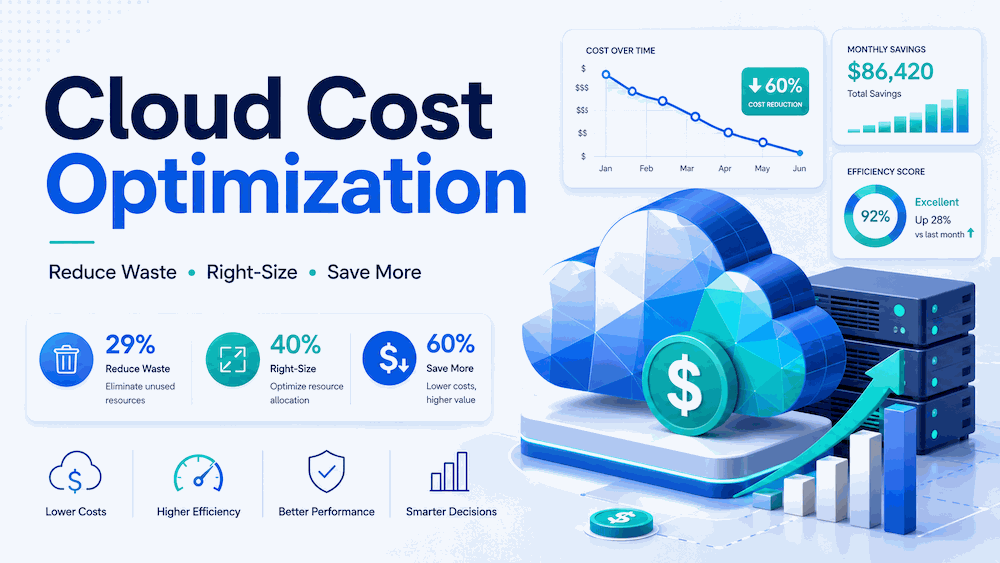
Cloud computing still gives teams speed, scale, and flexibility, but in 2026 the bigger question is not “should we use cloud?” It is “are we getting real value from every dollar we spend?” The smartest cloud cost optimization strategy is not random cutting. It is a steady habit of finding waste, matching resources to real usage, using the right pricing model, and making cost ownership visible to the people who build and run the systems.
Why Cloud Bills Still Spiral Out of Control in 2026
Cloud cost problems usually do not start with careless teams. They start with speed. A developer creates a test environment during a sprint, a data team launches a large analytics job, or a product team keeps extra capacity ready for a campaign. Each decision may make sense in the moment. The problem begins when those resources stay alive after the need has passed.
The cost picture has also become harder because cloud is no longer just virtual machines and storage. Most companies now deal with Kubernetes, managed databases, serverless functions, AI services, SaaS tools, private connectivity, security services, and different discount programs across multiple providers. That is why cloud cost optimization needs both technical cleanup and financial discipline.
The figures in this article reflect May 2026 research. Cloud prices vary by region, operating system, purchase option, and service configuration, so the dollar examples are best used as practical planning references.
Step 1 — Run a Cloud Cost Audit Before You Cut Anything
The first step is not deleting random servers. The first step is visibility. You need to know who owns each resource, what it supports, whether it is production or non-production, and whether its usage justifies its cost.
-
1Turn on native cost dashboards.AWS Cost Explorer, Azure Cost Management, and Google Cloud Billing give you the starting view. Set budget alerts at sensible thresholds, such as 80%, 90%, and 100% of the monthly budget.
-
2Tag resources consistently.Use tags such as team, owner, environment, project, and cost-center. Untagged resources are not just messy. They make accountability almost impossible.
-
3Find idle and orphaned resources.Look for virtual machines with very low CPU and network usage, unattached storage volumes, unused public IP addresses, old snapshots, stale load balancers, forgotten NAT gateways, and test databases left online.
-
4Separate production from non-production.Development, staging, QA, and demo environments are often easier to schedule, downsize, or shut off outside working hours.
-
5Connect spend to business value.Track cost per customer, cost per API request, cost per transaction, or cost per report. A monthly bill alone does not show whether your cloud is becoming more efficient.
A SaaS company finds that its staging environment runs at full production size every night and weekend. Instead of deleting it, the team schedules it to shut down after office hours and restart before the workday begins. The product team keeps the environment it needs, while finance sees immediate savings without risking production uptime.
Step 2 — Right-Size Compute Based on Real Usage
Right-sizing means matching CPU, memory, storage, and network capacity to the workload you actually run. It is one of the safest cloud optimization moves because it does not require a new architecture. It simply removes the habit of paying for capacity that sits idle.
| Example Change | Monthly Cost Before | Monthly Cost After | Approx. Monthly Saving | Saving % |
|---|---|---|---|---|
| EC2 m5.4xlarge → m5.large | $560.64 | $70.08 | $490.56 | 87.5% |
| EC2 r5.2xlarge → r5.large | $367.92 | $91.98 | $275.94 | 75% |
| EC2 c5.xlarge → c5.large | $124.10 | $62.05 | $62.05 | 50% |
| RDS db.r5.2xlarge → db.r5.xlarge | $730.00 | $423.40 | $306.60 | 42% |
Pricing examples use a 730-hour month and commonly referenced US East/N. Virginia on-demand rates for Linux EC2 and comparable RDS examples. The RDS row intentionally shows a lower percentage saving because provisioned storage and related database costs can remain fixed when only the compute instance is downscaled. Actual prices vary by region, operating system, database engine, storage type, tenancy, support plan, and purchase option.
Use AWS Compute Optimizer, Azure Advisor, and Google Cloud Recommender as starting points, then confirm recommendations with application metrics. CPU alone is not enough for every workload. Memory, disk I/O, network throughput, latency, and failover requirements matter too.
Step 3 — Use Commitment Discounts Carefully
Reserved Instances, Savings Plans, committed-use discounts, and enterprise agreements can reduce costs, but they should follow right-sizing, not come before it. Buying a discount for an oversized workload locks in a cheaper version of the wrong spend.
When to Use Each Pricing Model
| Pricing Model | Best For | Commitment | Main Risk |
|---|---|---|---|
| On-Demand | New, unpredictable, or temporary workloads | None | Lowest lock-in |
| Savings Plans | Stable compute usage that may move across instance families or services | 1 or 3 years | Overcommitment |
| Reserved Instances | Very predictable instance families, regions, and database usage | 1 or 3 years | Less flexibility |
| Spot / Preemptible | Batch processing, CI/CD, rendering, ML training, queues, and stateless services | None | Interruptions |
Step 4 — Schedule and Auto-Scale Non-Constant Workloads
Many systems do not need full capacity all day. Development environments, QA databases, internal tools, demo systems, batch workers, and analytics clusters often have predictable quiet hours. Scheduling and auto-scaling turn that pattern into savings without asking teams to remember manual shutdowns.
A B2B application keeps production auto-scaling active at all times, but shuts down most non-production servers from 8pm to 7am and on weekends. The production system stays protected, while development and testing costs fall because idle hours are no longer billed as active compute time.
Step 5 — Optimize Storage with Lifecycle Policies
Storage looks cheap per gigabyte, but old backups, logs, exports, snapshots, and media files can grow quietly for years. The goal is not to push every object into the cheapest archive tier. The goal is to match the storage class to how often the data is accessed and how quickly it must be restored.
Use lifecycle rules for logs, backups, exports, and compliance archives. For unpredictable access patterns, S3 Intelligent-Tiering can help, but it still needs review because monitoring fees, object size, and access behavior affect results.
Step 6 — Watch Data Transfer, NAT, and Cross-Zone Traffic
Network costs are easy to miss because they often appear as small per-GB charges. At scale, those charges become real money. The most common leaks include internet egress, cross-region traffic, cross-availability-zone traffic, and private subnet traffic that goes through NAT Gateways when a cheaper route exists.
| Cost Area | Why It Gets Expensive | Optimization | Pricing Factor |
|---|---|---|---|
| Internet egress | Outbound traffic is metered by region and volume. | Use a CDN such as CloudFront for cacheable content and review flat-rate plans where suitable. | Region-dependent |
| Cross-region traffic | Replication, backups, analytics, and distributed apps can move data between regions. | Keep chatty services in the same region when latency and resilience rules allow. | Region-dependent |
| Cross-AZ traffic | Highly distributed microservices can create round-trip charges between availability zones. | Review load balancer, database, cache, and Kubernetes placement patterns. | Architecture-dependent |
| NAT Gateway | NAT Gateway has hourly and data processing charges. | Use gateway endpoints for S3 and DynamoDB where appropriate, and avoid routing internal AWS service traffic through NAT unnecessarily. | Often a fast win |
Step 7 — Build FinOps Habits, Not Just One-Time Cleanup
A one-time cleanup can reduce the next bill. A FinOps habit keeps the bill from creeping back up. The best programs make cloud cost visible to engineering teams, give finance better forecasts, and help leadership understand whether cloud spend is creating business value.
-
1Assign cost ownership.Every major service should have a team and owner. Shared platforms can still have shared budgets, but they should not be invisible.
-
2Use unit economics.Track cost per active user, cost per transaction, cost per build, cost per report, or cost per model run. This shows whether efficiency is improving as usage grows.
-
3Review top cost drivers monthly.Look at the top services, largest month-over-month increases, idle resources, untagged spend, and commitment coverage.
-
4Put guardrails in the workflow.Use budgets, policy checks, cost estimates in pull requests, and approval rules for unusually large resources.
Best Cloud Cost Optimization Tools in 2026
You do not need to manage every optimization manually. Native tools are usually enough for the first audit, while third-party platforms help when you need multi-cloud reporting, Kubernetes cost allocation, commitment management, or automated remediation.
Good first stop for AWS spend trends, rightsizing signals, savings opportunities, and commitment coverage.
Uses utilization data to recommend compute, Auto Scaling, EBS, Lambda, and container-related optimizations.
Useful for Azure budgets, cost analysis, and recommendations for idle or underused resources.
Helps identify idle VMs, oversized resources, and other cost-saving opportunities inside Google Cloud.
Adds cloud cost estimates to infrastructure-as-code workflows, so engineers can see the cost impact before deployment.
Designed for Kubernetes cost visibility, allocation by namespace or workload, and cluster efficiency analysis.
Enterprise cloud cost management platform for reporting, governance, and multi-cloud cost control.
FinOps-focused platform for allocation, forecasting, unit economics, budgeting, and commitment planning.
Enterprise FinOps platform, formerly RightScale, for multi-cloud visibility, allocation, and automated governance.
Automates cloud commitment management and discount optimization for teams that want less manual RI/Savings Plan work.
90-Day Cloud Cost Optimization Roadmap
The roadmap below is a practical order of operations. Results depend on how much waste already exists, how mature your tagging is, and whether you already use commitment discounts.
Key Takeaways
- Use 29% as the updated 2026 Flexera estimate for wasted IaaS/PaaS spend, not the older 35% figure.
- Do not publish unsupported absolute waste numbers unless you have a clear source and calculation.
- Right-sizing, idle cleanup, scheduling, and storage lifecycle rules are usually the safest first moves.
- Commitment discounts can help, but only after you understand baseline usage.
- Spot Instances can save a lot, but they must be limited to workloads that can handle interruptions.
- Network costs deserve a separate review because NAT, cross-AZ, cross-region, and egress charges are easy to miss.
- FinOps is not just finance control. It is a shared way for engineering, finance, and leadership to make cloud value visible.
Frequently Asked Questions
Flexera’s 2026 State of the Cloud Report estimates wasted IaaS and PaaS cloud spend at 29%. This is an estimate across survey respondents, not a guaranteed percentage for every company.
The safest first step is a visibility audit. Turn on cost dashboards, tag resources, identify owners, separate production from non-production, and review idle or orphaned resources before making deeper architecture changes.
Savings Plans are usually more flexible because they apply across a broader range of compute usage. Reserved Instances can still make sense for very predictable instance families, regions, or database workloads. In both cases, avoid committing before right-sizing.
Spot Instances can be used in production only when the workload is designed for interruptions. They work best for stateless services, queue workers, batch jobs, rendering, CI/CD, machine learning training, and systems with checkpointing or fast replacement capacity.
There is no universal cheapest provider. AWS, Azure, and Google Cloud pricing depends on service mix, region, discounts, architecture, licensing, data transfer, and support needs. The best answer comes from modeling your own workload across providers.