
How to translate Website, PDF, Word, Web Page and text
There are times when you don’t understand the language of a Website, Web Page, PDF, Word (Doc, Docx) and Text document. In such situation, you need a translator to help you understand the stuffs. There are so many paid services that can translate the documents or web pages, but we are here to tell you the best translation service that comes for free. However, please understand that an Automatic translation done by an App or online service can never be perfect, but it can certainly help you understand the document/file/text.
How to Translate PDF
- Visit PDF Translation page.
- Upload a file and edit whatever you want to edit
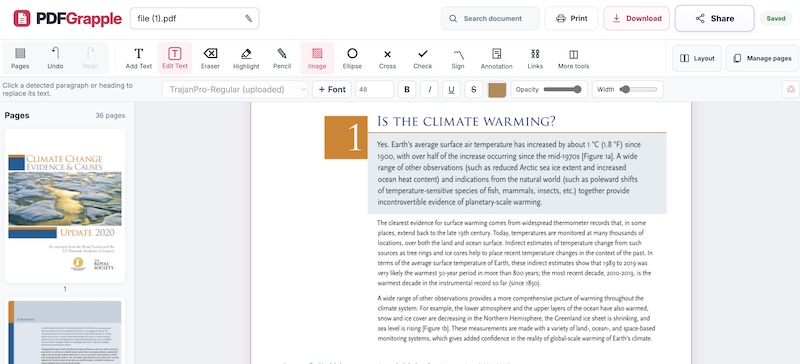
- When you try to edit a text, it will ask you to add that font in ttf or otf format which is optional but recommended.
- And you can download the edited document
Also check; Convert PDF to Word
How to translate Website, Web page, Word (.doc/.docx) files
The first translation option we mentioned, don’t supports URLs or Word files, so you need to use another tool. This tool is also provided by Google, and costs nothing. This tool can translate the file, and allows you to edit and save as well. However, please use the first one for PDF translation, as it doesn’t support a PDF file
- Visit https://translate.google.com/toolkit/docupload
- Click on Add Content to Translate
- Now you can upload Word or Text file, Or can select to Input URL to translate Website or Web page
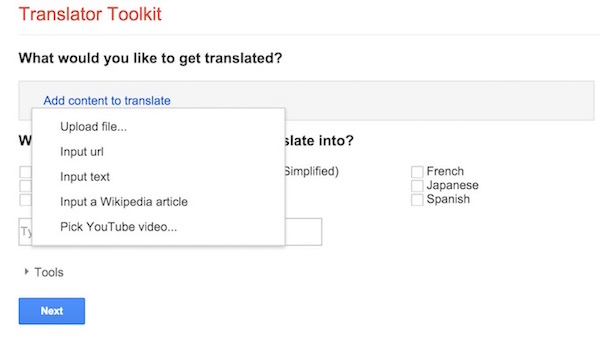
- Select the Language you want the file to be translated into. if the language doesn’t appear there, type in search field, and then select
- Now click on Next
- It will process the translation, and will show a new page that will look like it’s a paid service, but it’s just an sponsored ad. So ignore this page
- At the bottom of the page, click on No Thanks, I will translate myself or invite friends for help
- Now it will take you to a page where your all translated files are stored automatically (just like screenshot below). Click on the file that you just translated, and you can read, edit/modify and save. It shows 0 percent complete, but it’s already translated.

Along with such files, it can also translate YouTube Captions, SubRIP (.SRT), SubViewer (.SUB)., Chrome Extension (.JSON), iOS Applications (.STRINGS) etc..
So Google provides a quick, easy and free way to translate website, web page, text, PDF, Word etc.. If you still face any issue, please comment below.